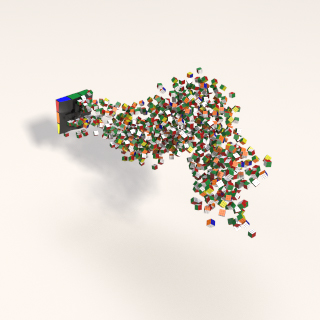
Deborah R. Fowler
Particles in Dynamics
Posted 2013
Updated Mar 8 2024
Updated Apr 26 2026 - restyled
History of Particles in CG (Click to expand)
William Reeves (particle pioneer 1983 Siggraph paper).
Read the wiki entries here and
here.
Watch The Adventures of Andre and Wally B (1984).
For inspiration: Karl Sims' Particle Dreams (1988-90).
Craig Reynolds created Boids (1986) to simulate flocking.
This behavior is integrated into Houdini's POP tools. See the 1987 short
Stanley & Stella: Breaking the Ice.
Rendering & Troubleshooting
Rendering is key to getting the effect you want. By default, Houdini Karma/Mantra renders particles as spheres where size is controlled by pscale.
| Engine |
Key Requirement / Workflow |
| Karma / Mantra |
Renders as spheres by default; size manipulated via pscale attribute. |
| Redshift |
Use the specific "Redshift Particles" checkbox and place the material on the object container. |
| Instancing |
To render actual geometry on points, append an Instance SOP after the DOP import. |
Common Troubleshooting Tips (Click to expand)
Examples
History in Houdini
Particles have been part of Houdini for a long time. They are now fully integrated in DOPs and were once a separate solver. Why mention this? To make sense of some of the now "older" posts and example files.
Overview
PDF version of my PowerPoint lecture: Intro To Particle Dynamics — here.
Tips from SideFX Particles in Dynamics and the workflow.
If you want to not sim you must disconnect or bypass the pop to disable (or you can use the simulation button at the bottom right corner — the brain — to turn sims off).
To create a particle simulation you can either create one:
- from the shelf tool - it will create an AutoDopNetwork — a dopnetwork node — with a default setup having
gravity, attributes set to "Add to inherited velocity" and Variance set to 1
- dopnet labeled AutoDopNetwork
- geo node containing the particles (dopimport or geometry field import)
- OR you can create a popnet inside of SOPs by hitting tab and typing
popnet (just a dopnet node inside of SOPs).
- using a dop import node, or using the convenient object merge tab on the dopnet node to bring out just your particles by typing
popobject
in place of the * in the Object file of the object merge tab
There are many pop nodes — hit tab and type pop to see the variety.
A few to point out:
- Curve Force tool — there is a curve force tool to make particles move along a path (we'll talk about the VOPs/VEX way as well).
- Flocking tools
- Following a leader (small exercise to try) — here.
In addition, you can manipulate your pops with VEX.
Other Resources